
Fill Missing Translations
What It Does
When a key has a value in the reference language but is missing or empty in other locales, i18n Mage can fill translations in batch.
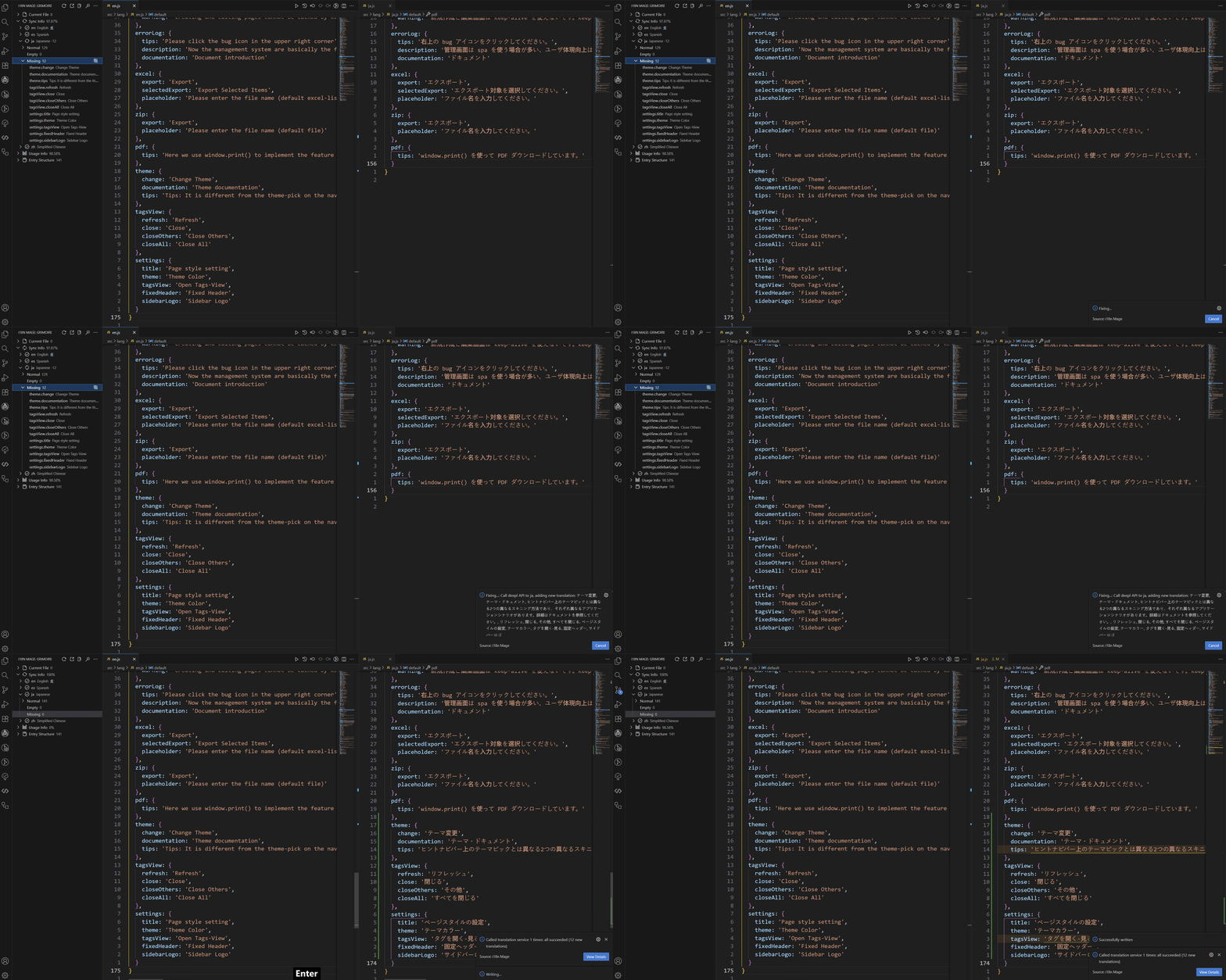
How to Use
Entry Points
- Global fix:
- Sidebar ->
Fix - Command Palette ->
i18n Mage: Fix - Shortcut:
Ctrl+Alt+F/Cmd+Alt+F
- Sidebar ->
- Scoped fill:
- Run fill action on selected groups or keys in tree view
Execution Flow
- Scan missing keys (and optional empty values).
- Use
referenceLanguagetext as source. - Translate by
translateApiPriority. - Build write changes.
- Preview (if enabled) and apply.
Related Settings
i18n-mage.translationServices.referenceLanguagei18n-mage.translationServices.translateApiPriorityi18n-mage.translationServices.autoTranslateEmptyKeyi18n-mage.translationServices.validateLanguageBeforeTranslatei18n-mage.translationServices.unmatchedLanguageActioni18n-mage.translationServices.proxy.*i18n-mage.translationServices.aiCustomPrompti18n-mage.general.previewChangeScopes
Provider note:
- For most international teams, start with DeepL / OpenAI / Google in
translateApiPriority. - Add regional providers only when required by coverage, pricing, or network constraints.
FAQ
- Some keys were not filled: source value may be missing, or selected scope excluded them.
- Translation failed: usually API key/quota/network/provider issues.
- No preview shown: check
i18n-mage.general.previewChangeScopes.