
Fix Undefined Entries
What It Does
Undefined entries occur when code references text in t(...) but no matching key exists in locale files. This feature detects and fixes them in one flow.
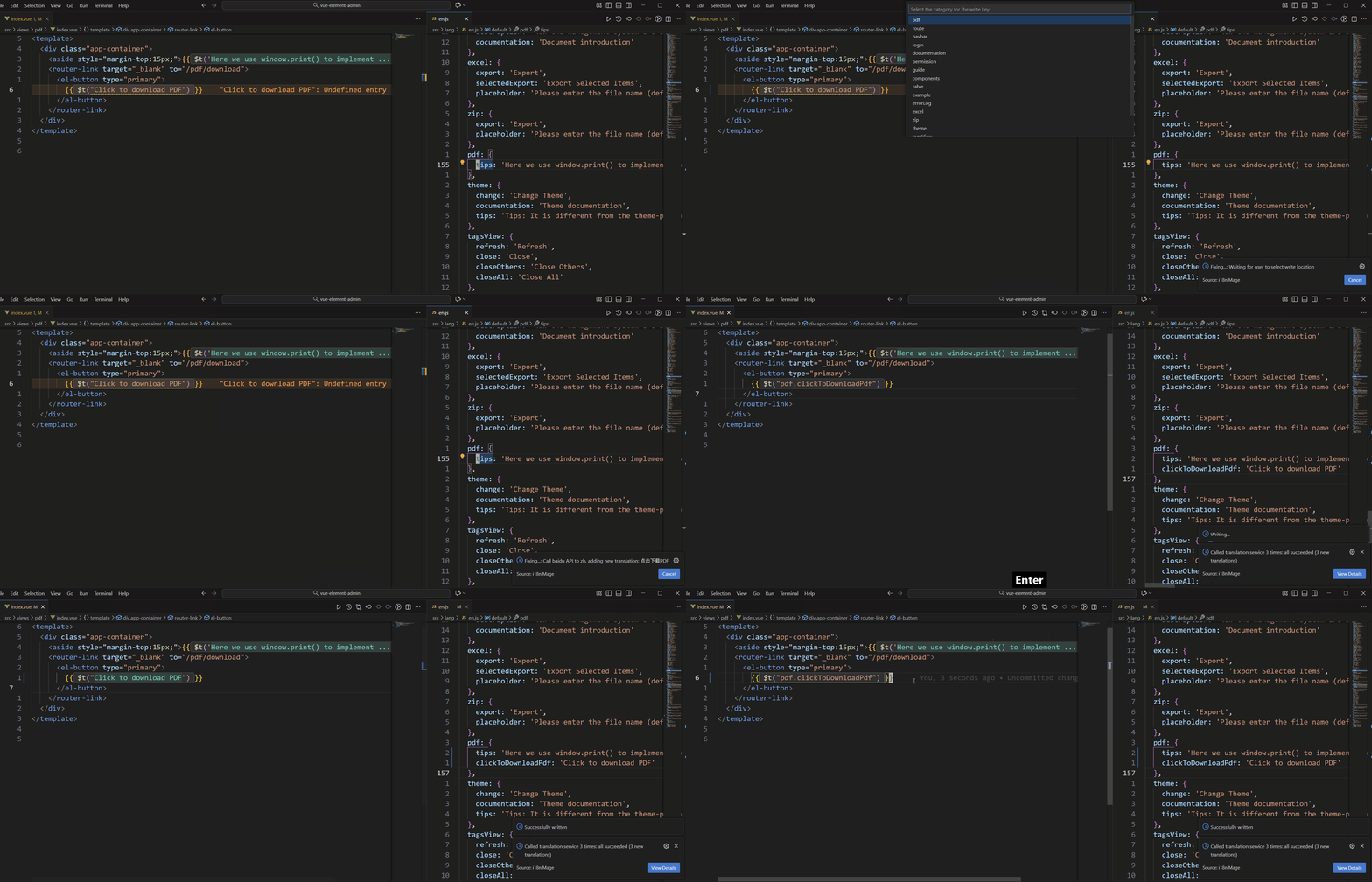
How to Use
Entry Points
- Global fix:
- Sidebar ->
Fix - Command Palette ->
i18n Mage: Fix - Shortcut:
Ctrl+Alt+F/Cmd+Alt+F
- Sidebar ->
- Scoped fix:
- Usage panel -> Undefined Entries -> run fix on selected item/group
- Current-file fix:
- Editor context menu -> undefined text extraction/fix
Execution Flow
- Detect undefined keys.
- Match existing keys first.
- Generate new keys for unmatched texts.
- Translate new keys (optional).
- Replace source code usage.
- Preview and apply changes.
Related Settings
i18n-mage.translationServices.referenceLanguagei18n-mage.translationServices.matchExistingKeyi18n-mage.translationServices.autoTranslateMissingKeyi18n-mage.translationServices.ignorePossibleVariablesi18n-mage.translationServices.validateLanguageBeforeTranslatei18n-mage.translationServices.unmatchedLanguageActioni18n-mage.translationServices.keyGenerationFillScopei18n-mage.writeRules.keyStylei18n-mage.writeRules.keyStrategyi18n-mage.writeRules.keyPrefixi18n-mage.writeRules.maxKeyLengthi18n-mage.writeRules.stopWordsi18n-mage.general.previewChangeScopes
Tips
- Enable
matchExistingKeyto reduce duplicate keys. - Keep preview enabled for safer large-batch refactoring.