
i18n Mage - Frontend i18n Assistant
Overview
i18n Mage is a VS Code extension for frontend internationalization workflows. It supports popular frameworks like Vue I18n and React I18next, and provides missing-translation fill, inline hints, key management, auto-completion, Excel import/export, and more.
Core Features
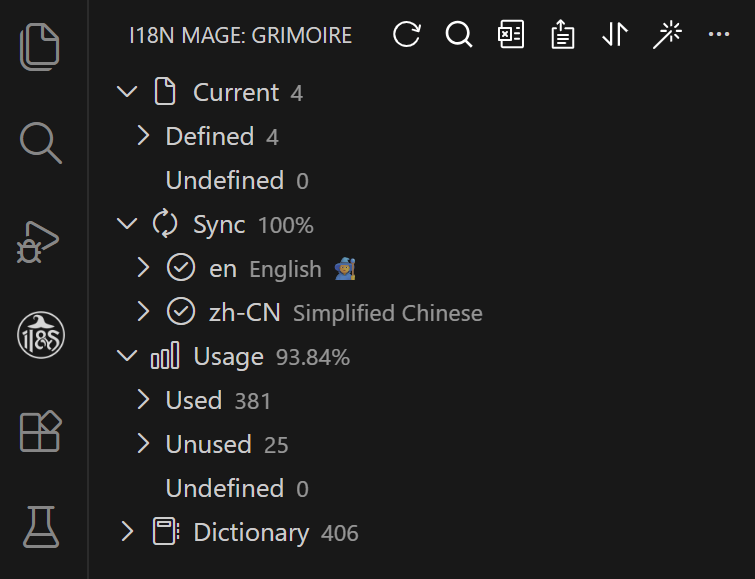
Translation Entry Overview
- Visualize all translation entries
- Keep language files in sync in real time
Inline Translation Hints
- Show translation text directly in code
- Customize style and color
- Toggle via shortcuts
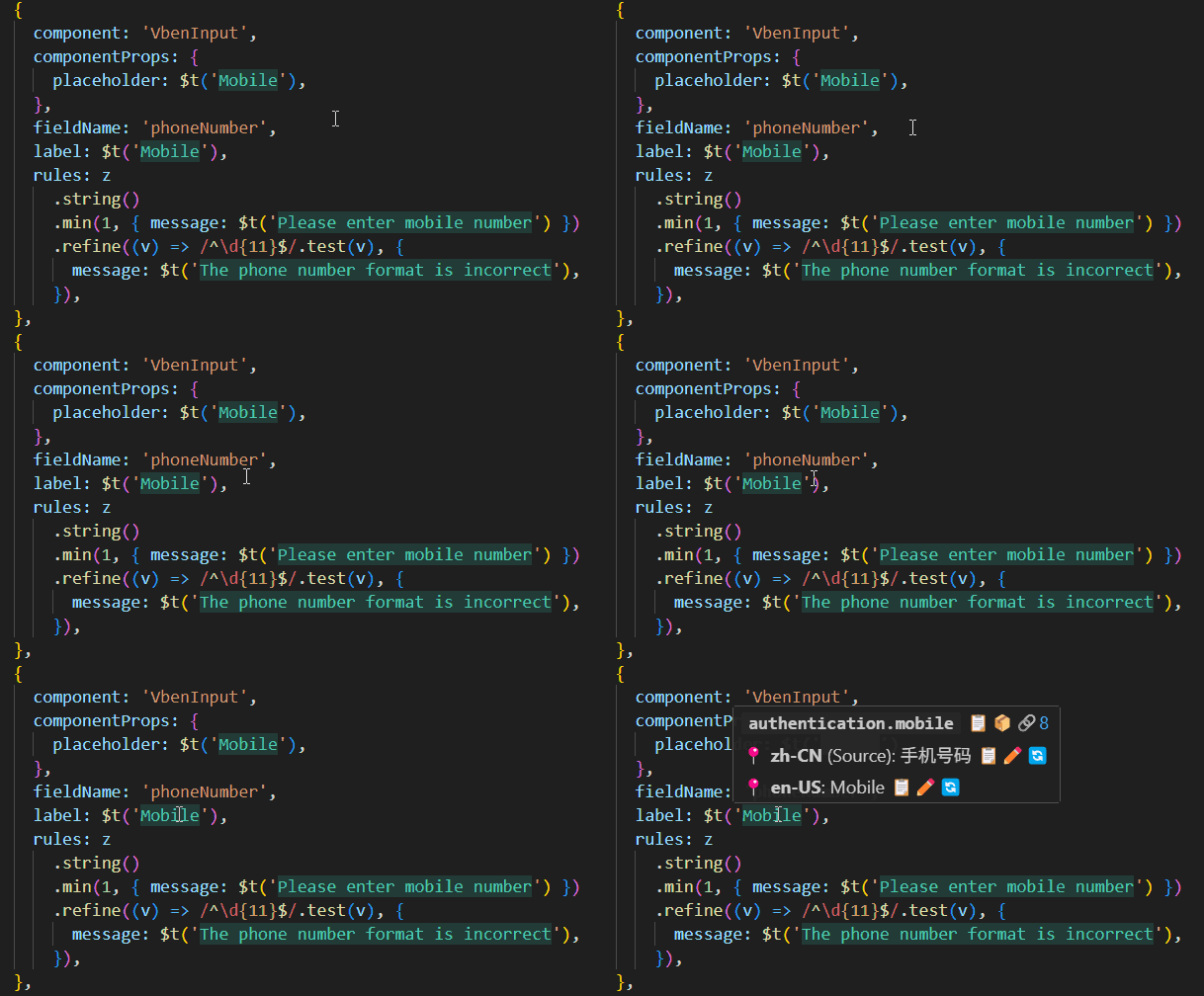
See: Translation Hints
Smart Key Completion
- Auto-complete translation keys when writing i18n calls like
t("...") - Support matching by key, value, or both
- Optional pinyin and pinyin-initial matching for Chinese source text
- Improve multilingual development efficiency
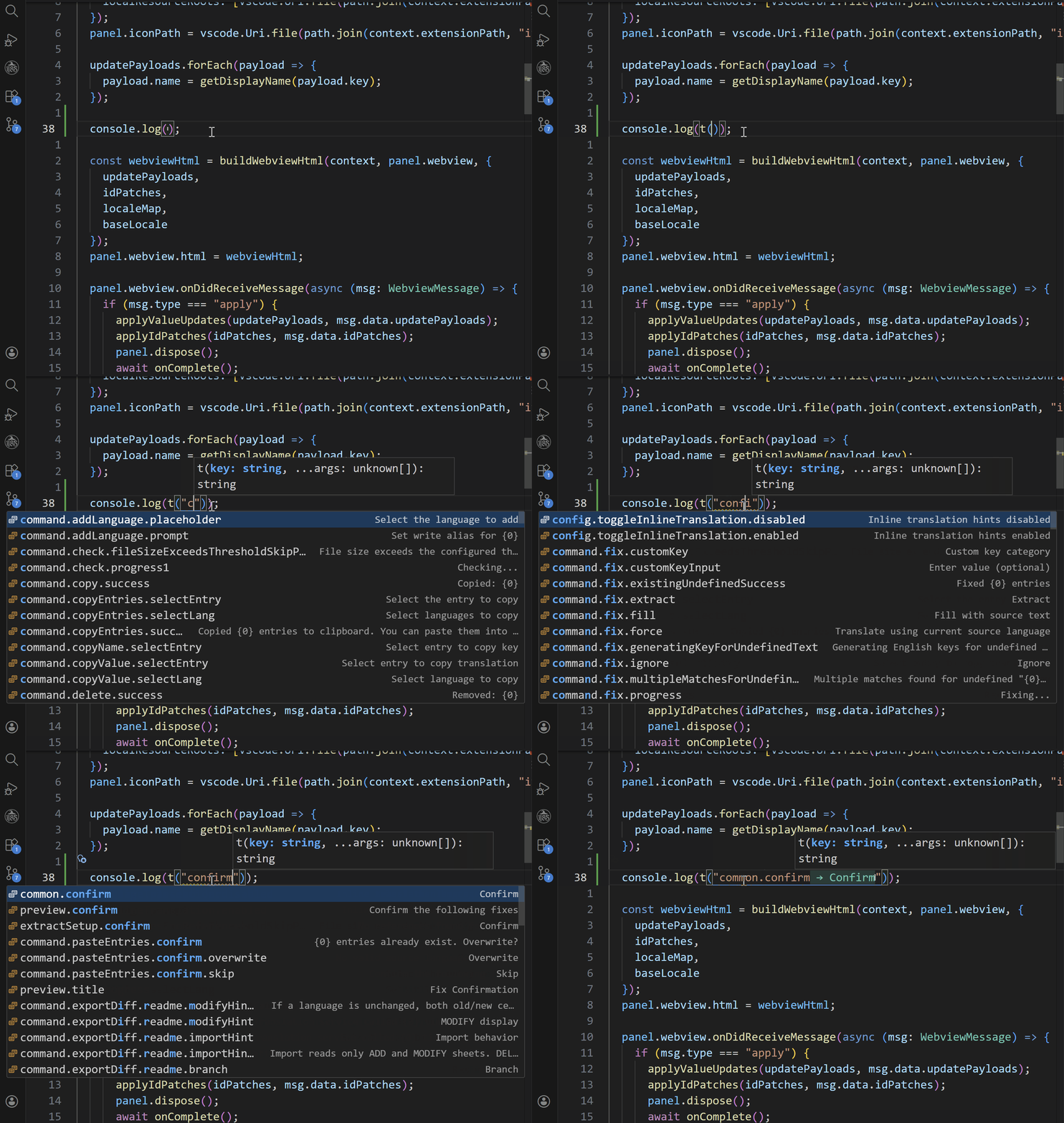
See: Completion
Fill Missing Translations
- Integrates AI services (OpenAI, DeepSeek, Doubao, Qwen, Hunyuan, and Kimi)
- Integrates machine translation services (DeepL, Google Translate, Baidu Translate, Tencent Translate, and Youdao Translate)
- Fill missing translations automatically with preview and manual review
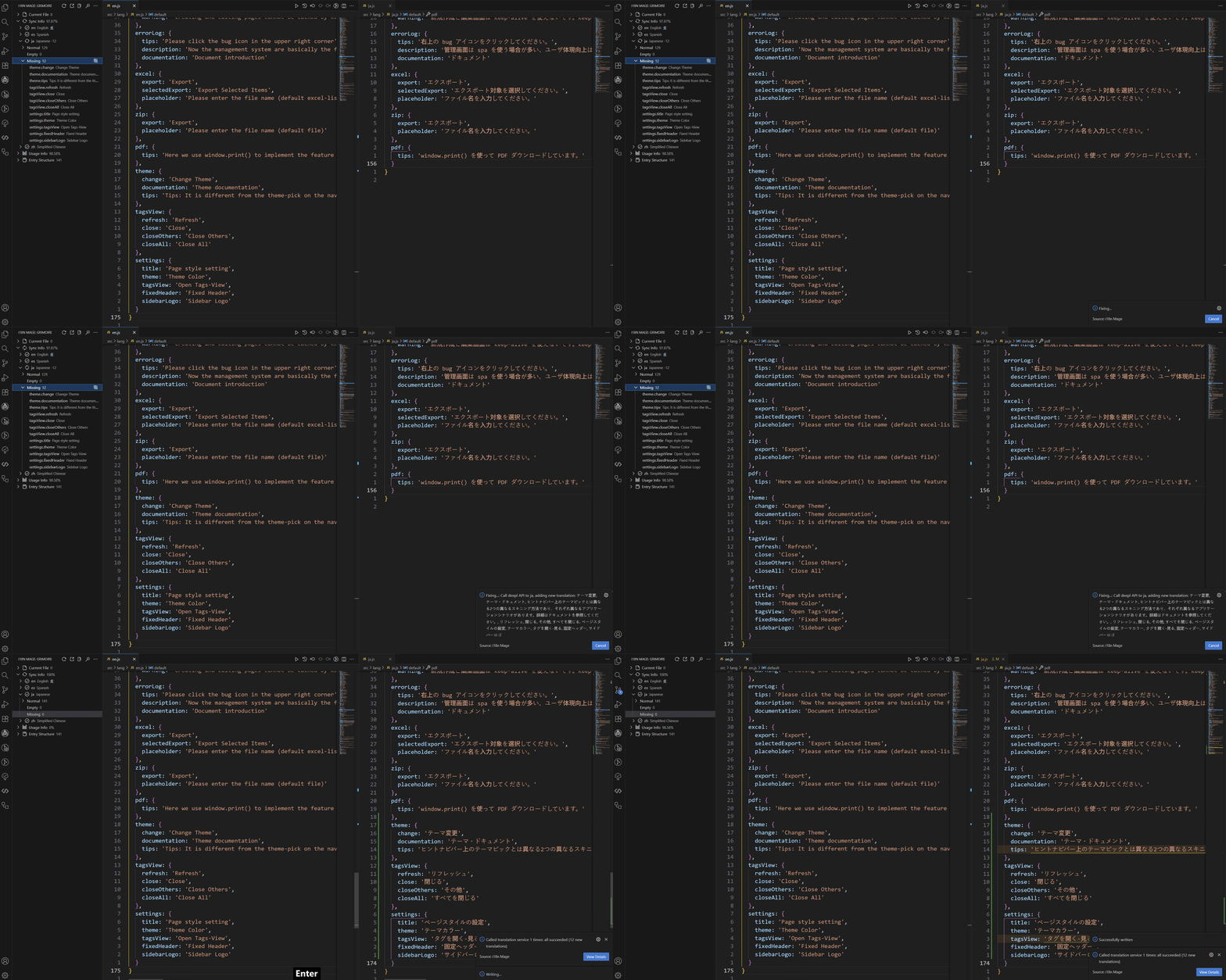
See: Fill Missing Translations
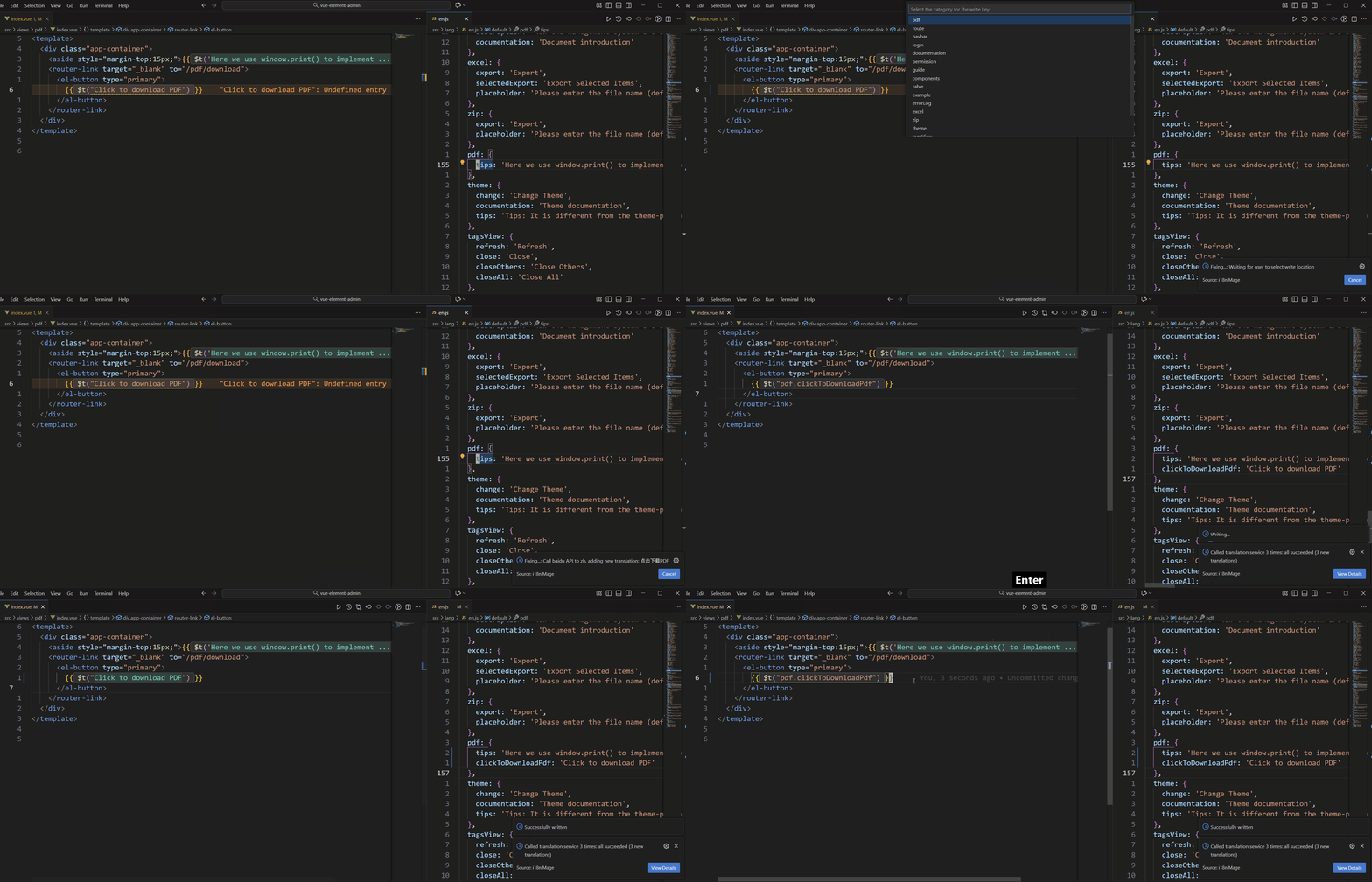
Fix Undefined Entries
- Detect undefined entries
- Match existing entries or extract text into new entries
- Support customizable key naming strategies
Extract Hardcoded Texts
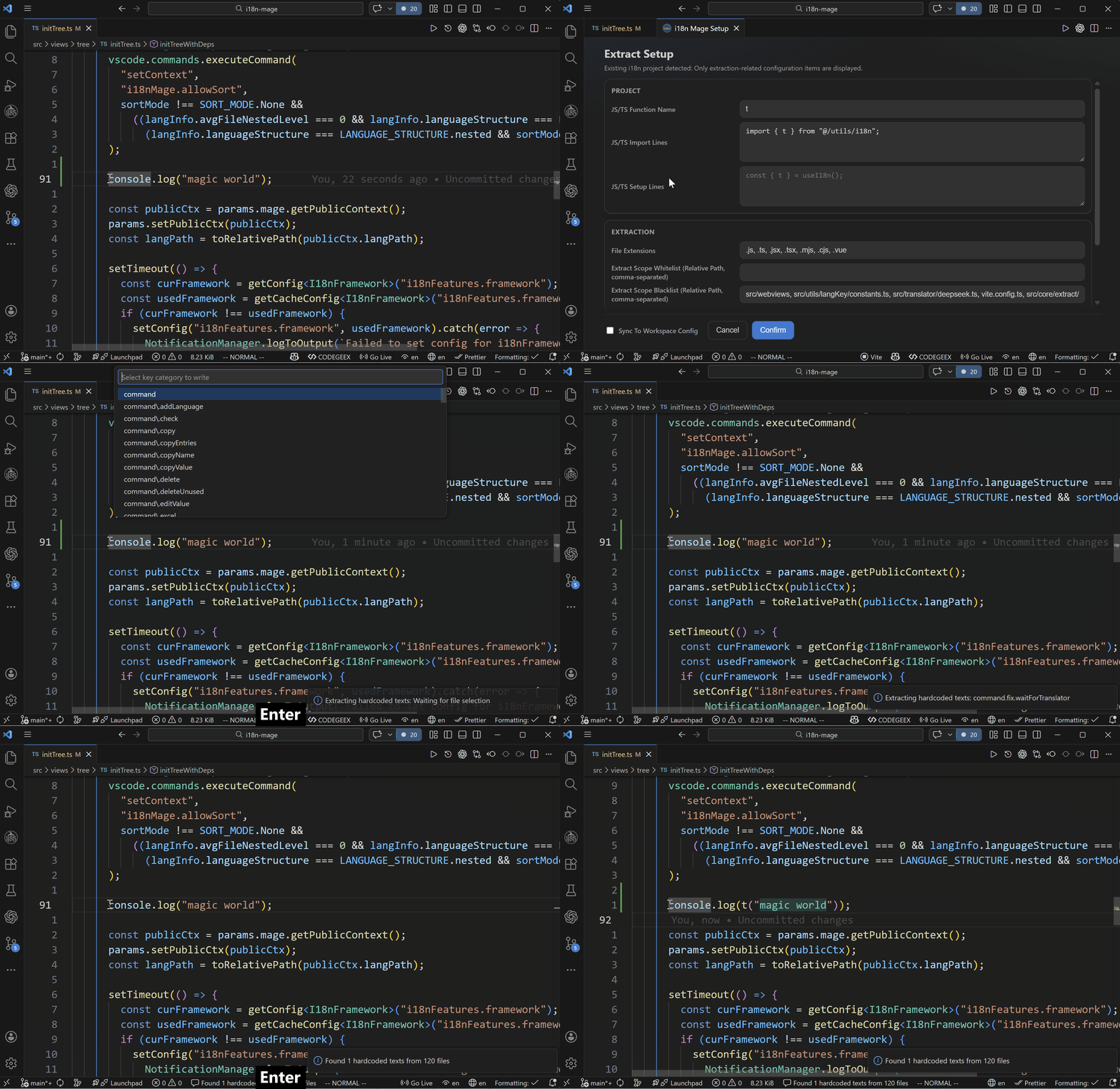
- Scan hardcoded texts and batch-extract them into i18n keys
- Replace source code and write back into language files
- Preview before apply, suitable for migrating legacy projects
Multilingual Text Search
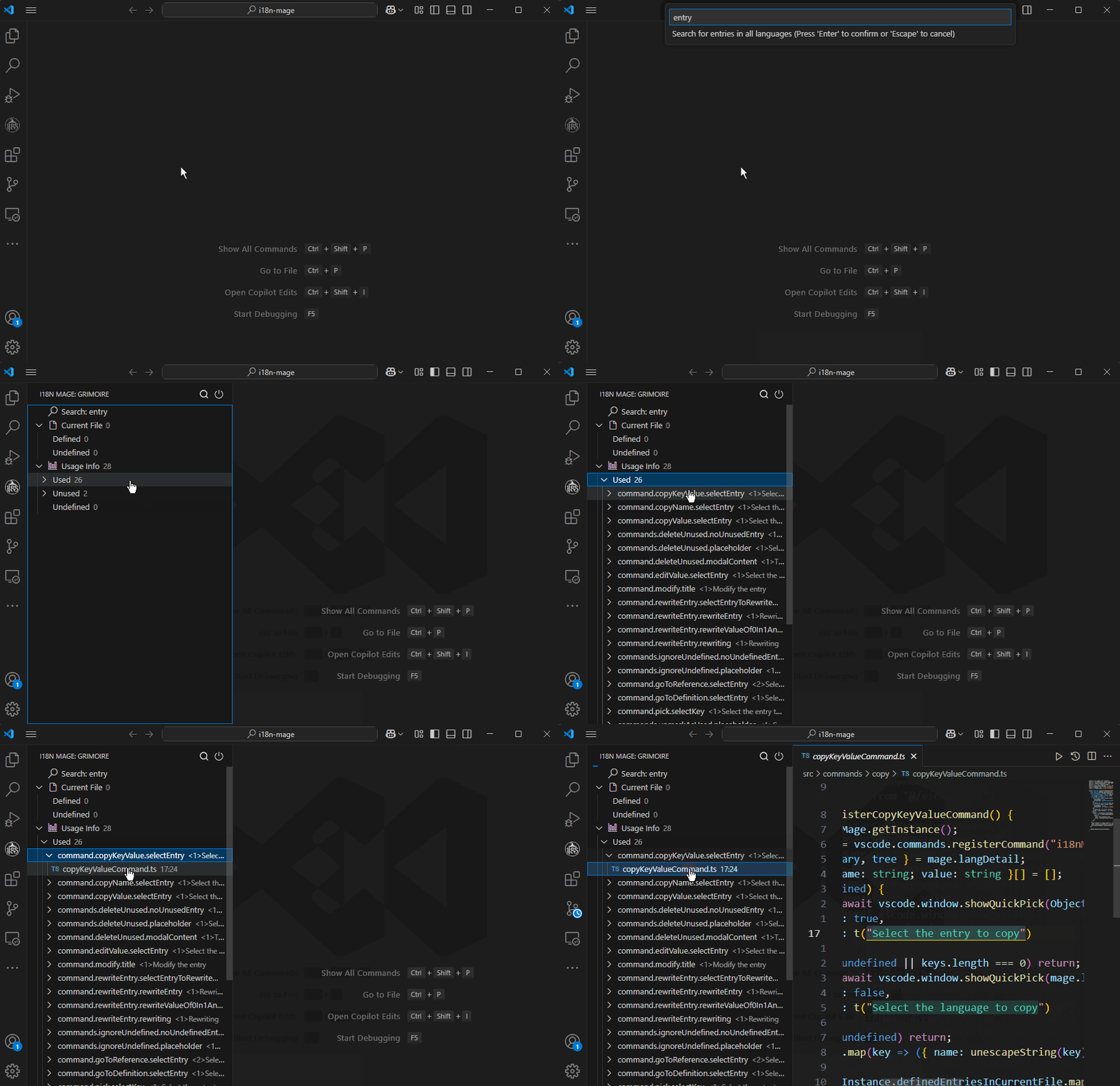
- Search across languages to locate target entries quickly
- Support whole-word and case-sensitive search
See: Search
Excel Import/Export
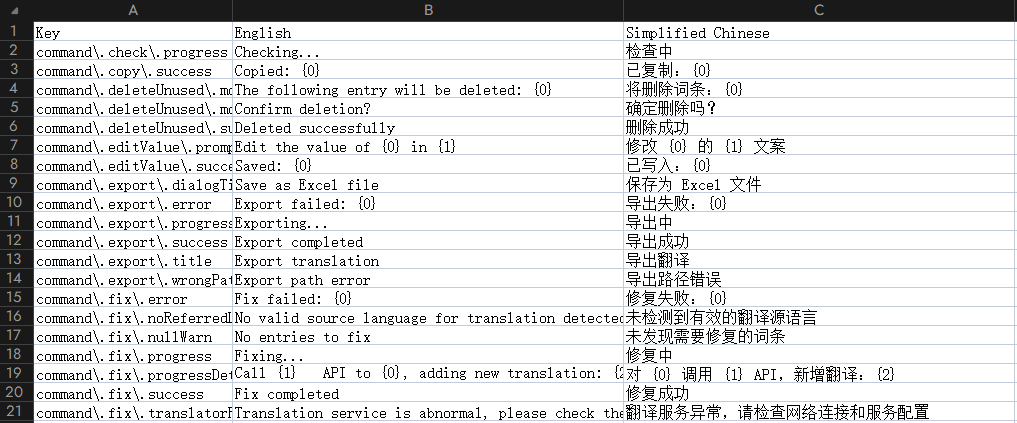
- Export entries to Excel for translation teams
- Import translations from Excel and write back automatically
- Export git-based diff sheets (ADD/MODIFY/DELETE)
- Import diff sheets back into project
See: Excel Import/Export
Check Unused Entries
- Analyze global usage
- Support dynamic key pattern matching
- Manually mark or batch-delete unused entries
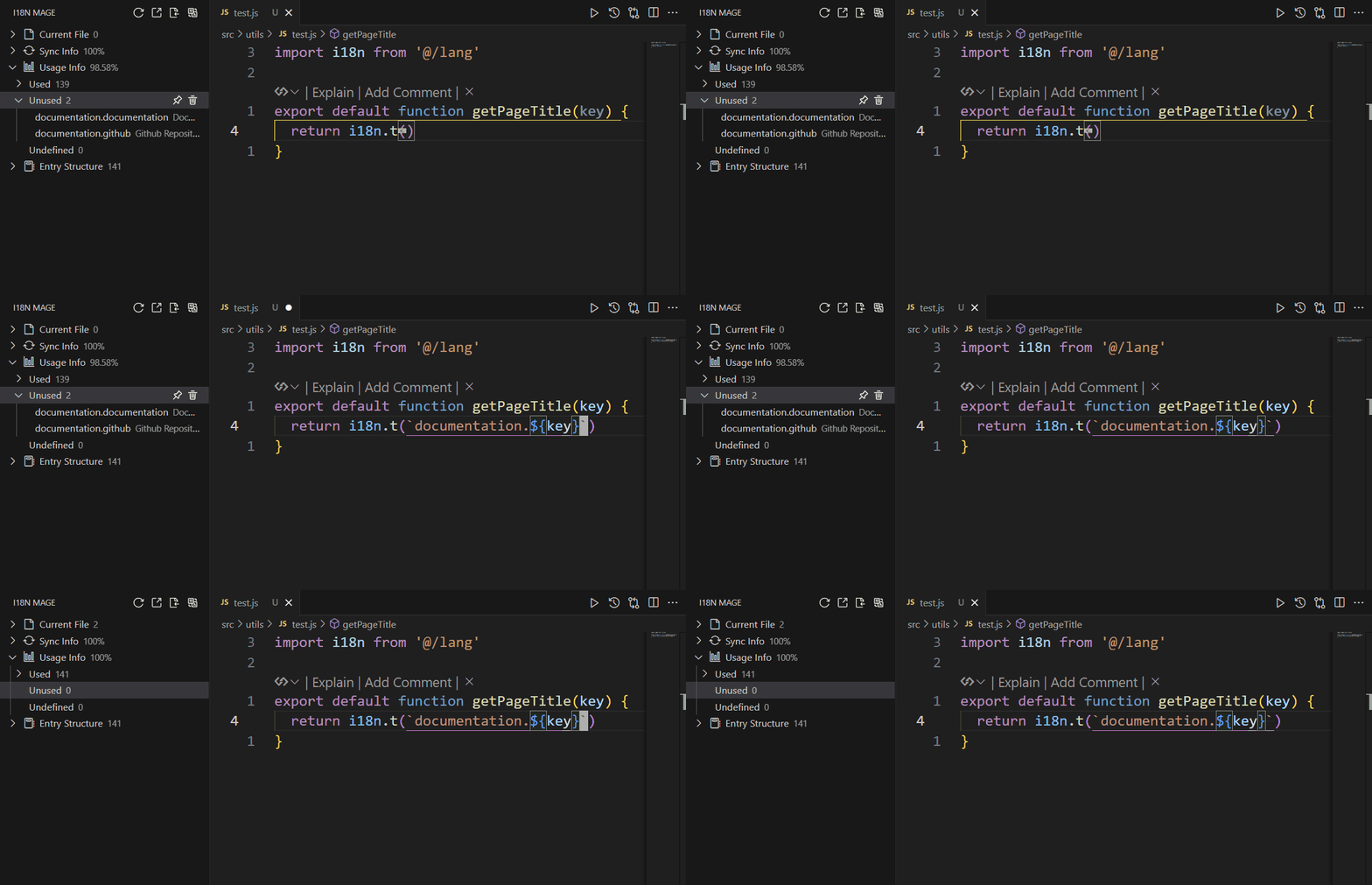
See: Check Usage
Cross-Project Entry Migration
- Copy entries by file or prefix into clipboard
- Paste copied entries into target projects for fast migration
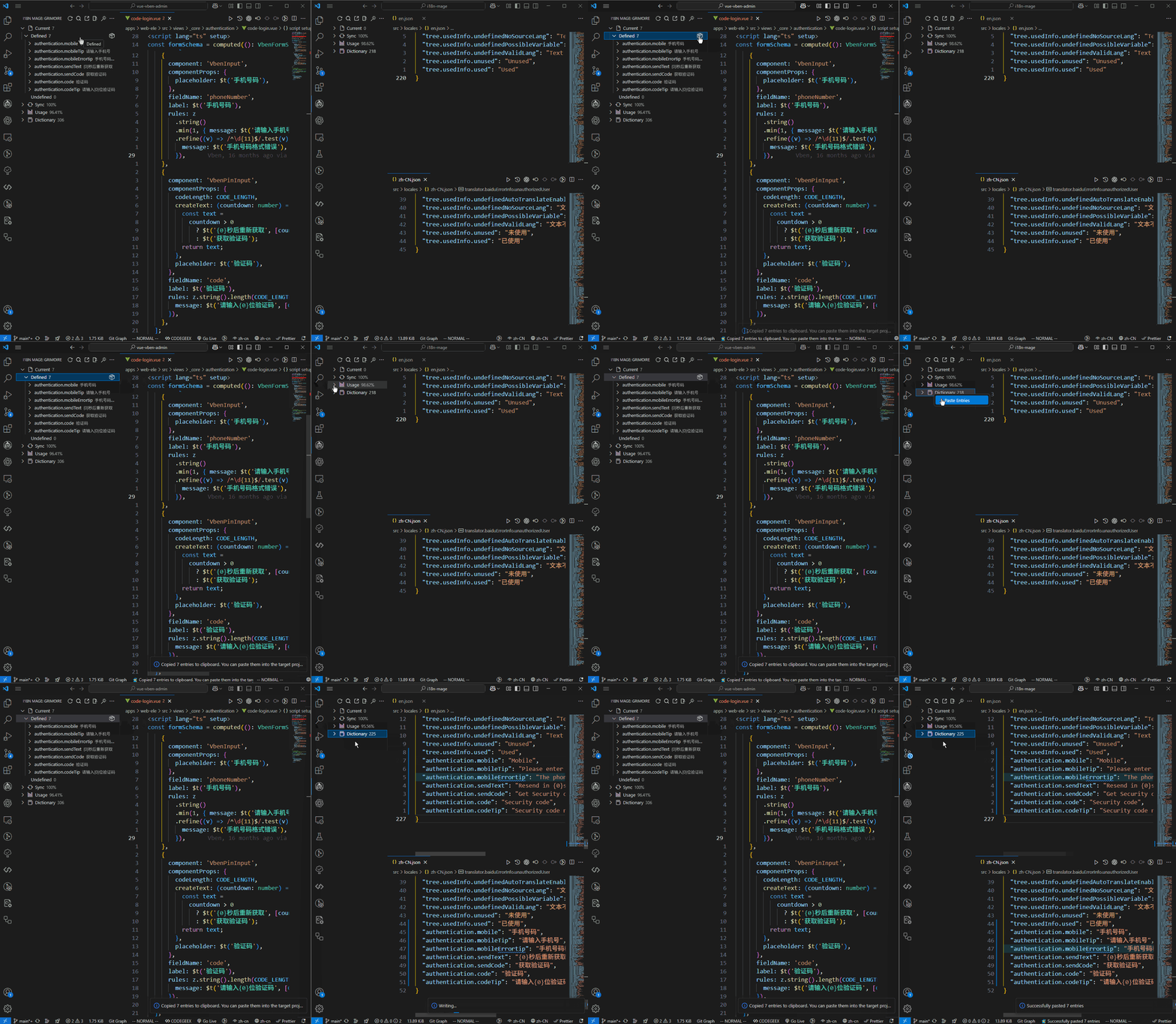
See: Quick Operations
Write Sorting
- Sort by key name or first occurrence position
- Reduce noisy diffs after fixes
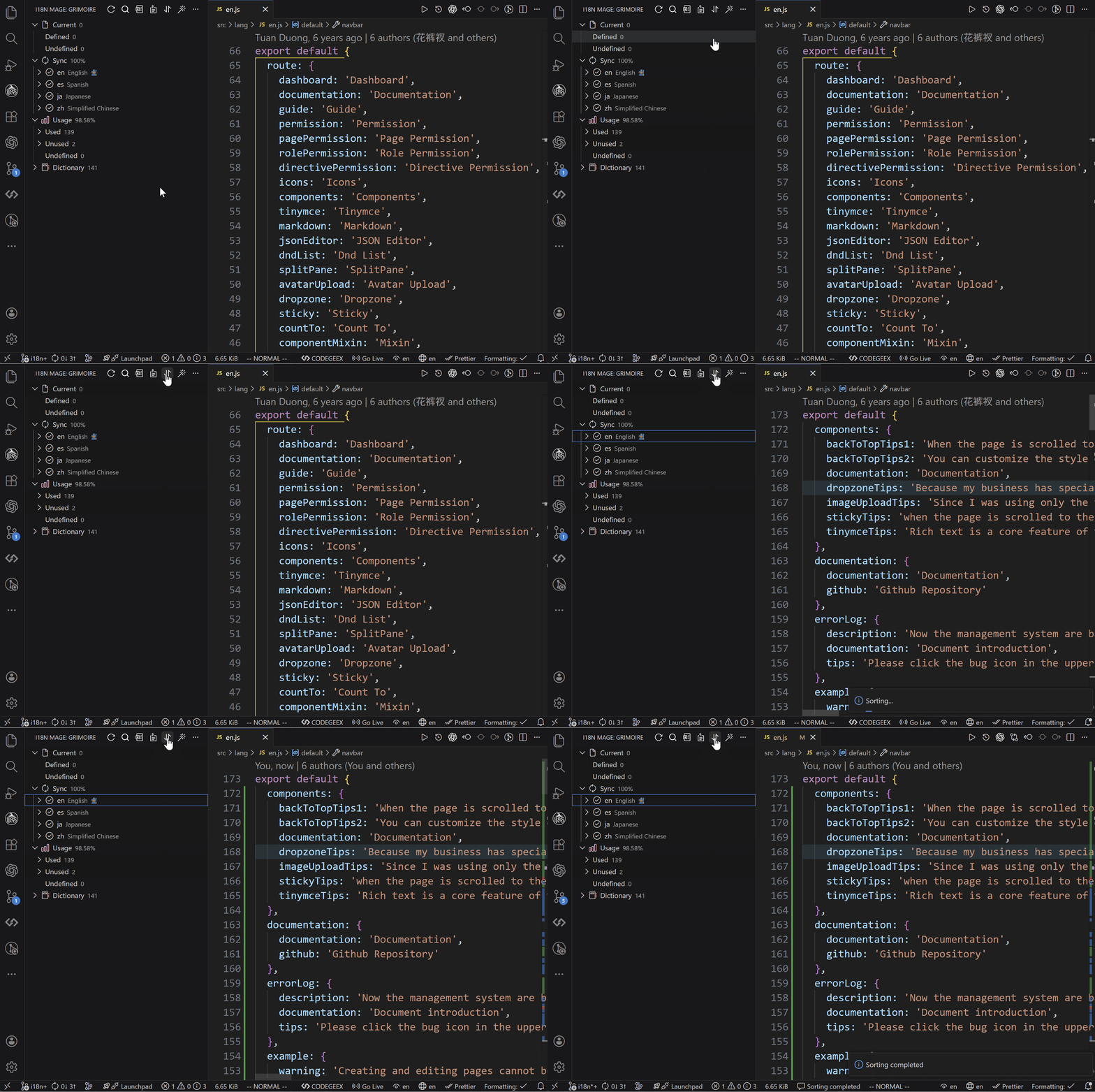
See: Write Sorting